

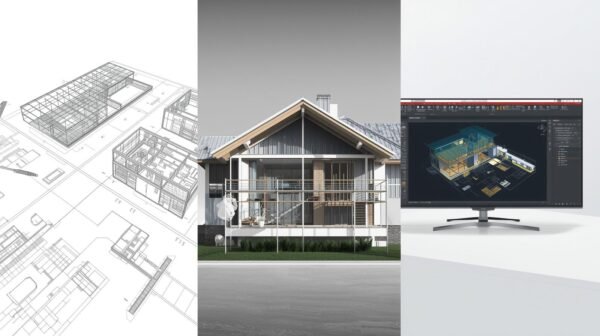
Choosing the right design software can make or break a residential building project.
While AutoCAD has dominated the architecture and construction industry for decades, newer alternatives like Revit and BricsCAD have emerged with compelling features tailored to modern building needs.
For residential builders navigating this decision, understanding the strengths and limitations of each platform is essential for maximizing efficiency and profitability.
Understanding the Fundamentals
Before diving into comparisons, it’s important to recognize that these three software solutions approach design from fundamentally different perspectives.
AutoCAD operates primarily as a 2D drafting tool with 3D capabilities, functioning like a digital drafting board where you create lines, shapes, and annotations. Revit represents a complete paradigm shift as a Building Information Modeling (BIM) platform, where every element contains rich data and intelligence.
BricsCAD bridges both worlds, offering traditional CAD functionality while incorporating BIM features at a fraction of the cost of its competitors.
AutoCAD: The Industry Standard with Limitations
AutoCAD remains the most recognized name in design software, and for good reason. Its precision drafting tools are unmatched, and its DWG file format has become the universal language of construction drawings.
For residential builders who primarily need to create construction documents, floor plans, and elevations, AutoCAD delivers reliable performance with a workflow that many professionals already understand.
The software excels at creating detailed 2D documentation. You can produce accurate dimension strings, create custom line types, and generate professional construction drawings that contractors can easily interpret.
The extensive library of third-party plugins and add-ons means you can customize AutoCAD to match your specific residential building workflow, whether you specialize in single-family homes, townhouses, or small apartment buildings.
However, AutoCAD’s limitations become apparent when projects increase in complexity. Each drawing exists independently, meaning that changes to a floor plan don’t automatically update in elevation or section views.
Also Read:Top Contractor Pricing Software Companies in 2025
This manual coordination creates opportunities for errors and dramatically increases the time required for design revisions. For residential builders managing multiple similar projects or dealing with frequent client changes, this lack of coordination can become a significant bottleneck.
The learning curve for AutoCAD is also steeper than many realize. While basic drafting can be learned relatively quickly, mastering the software’s full potential requires substantial time investment.
Additionally, the subscription cost of AutoCAD has risen considerably in recent years, making it a significant ongoing expense for smaller residential building firms.
Revit: Purpose-Built for BIM and Collaboration
Revit represents Autodesk’s answer to the construction industry’s shift toward Building Information Modeling.
Unlike AutoCAD’s line-based approach, Revit uses intelligent building components that understand their relationships to other elements. When you place a door in a wall, Revit knows it’s a door in a wall, not just a collection of lines and arcs.
This intelligence transforms how residential builders approach design and documentation.
The coordinated nature of Revit models is perhaps its greatest strength. Modify a wall location in your floor plan, and that change automatically propagates to all elevations, sections, schedules, and 3D views.
For residential builders who frequently make design adjustments based on client feedback or site conditions, this coordination eliminates hours of manual revision work and virtually eliminates the risk of documentation inconsistencies.
Revit’s scheduling capabilities are particularly valuable for residential construction. The software can automatically generate door schedules, window schedules, finish schedules, and material takeoffs directly from the model.
These schedules remain dynamically linked to the design, updating instantly when changes occur. For builders who need accurate material quantities for estimating and procurement, this feature alone can justify the investment.
The software also facilitates superior collaboration. Multiple team members can work on the same Revit model simultaneously through worksharing, with changes synchronized in real-time.
For residential builders working with structural engineers, MEP consultants, or interior designers, this collaborative environment streamlines coordination and reduces conflicts.
Despite these advantages, Revit presents significant challenges for residential builders. The learning curve is substantially steeper than AutoCAD, often requiring several months of dedicated training before users achieve productivity.
The software demands more powerful computer hardware, which represents additional capital investment. Perhaps most critically, Revit’s subscription cost is approximately double that of AutoCAD, making it a substantial commitment for smaller firms.
Also Read: How steel framing software is revolutionizing modern construction
Revit is also optimized for larger, more complex buildings. For simple residential projects like single-family homes, the software’s extensive capabilities may feel like overkill.
The time required to set up templates, families, and standards can outweigh the benefits for builders who primarily work on straightforward residential projects.
BricsCAD: The Cost-Effective Alternative
BricsCAD has emerged as a compelling alternative that challenges the Autodesk duopoly. At its core, BricsCAD functions as a highly compatible AutoCAD clone, using the native DWG format and offering familiar commands and workflows.
For residential builders already comfortable with AutoCAD, the transition to BricsCAD requires minimal retraining.
The cost advantage of BricsCAD is striking. Perpetual licenses are available at a fraction of AutoCAD’s subscription price, and even BricsCAD’s subscription model is significantly more affordable.
For residential builders operating on tight margins, this pricing difference can represent substantial savings over time, especially when licensing multiple users.
Beyond cost savings, BricsCAD includes several features that specifically benefit residential builders. The BricsCAD BIM module adds intelligent building components and coordination capabilities similar to Revit, but within a familiar CAD interface.
This hybrid approach allows builders to adopt BIM workflows gradually without abandoning their existing CAD knowledge and templates.
BricsCAD’s 3D modeling tools are more intuitive than AutoCAD’s, making it easier to create presentation-quality visualizations for clients.
The software’s Sheet Set Manager and layout tools streamline the creation of construction document sets. For residential builders who need to produce professional deliverables quickly, these productivity enhancements add real value.
The software’s smaller footprint and efficient code mean it runs smoothly on less powerful hardware than Revit requires. This can be particularly advantageous for residential builders who use laptops on job sites or who haven’t invested in high-end workstations.
However, BricsCAD isn’t without drawbacks. The smaller user base means fewer third-party plugins and online tutorials compared to AutoCAD or Revit. While BricsCAD’s BIM tools are improving, they don’t yet match Revit’s sophistication or maturity.
Large architecture and engineering firms often don’t use BricsCAD, which can create collaboration challenges if you’re working with external consultants who expect Revit files.
Making the Right Choice for Your Residential Building Business
The optimal software choice depends heavily on your specific business model and project types.
Residential builders focused primarily on custom single-family homes or small-scale renovations may find that AutoCAD or BricsCAD provides all the functionality they need without Revit’s complexity and cost.
The ability to produce clean, accurate construction drawings quickly matters more than advanced BIM coordination for straightforward projects.
Builders working on larger residential developments, multi-family projects, or those who frequently collaborate with architects and engineers will likely benefit from Revit’s coordination and collaboration capabilities.
Also Read:Top 10 Construction Estimating Software Solutions for 2025
The upfront investment in training and licensing pays dividends through reduced errors, faster revisions, and improved project coordination. If you’re bidding on projects where clients specifically request BIM deliverables, Revit becomes almost mandatory.
BricsCAD represents an attractive middle ground for residential builders who want to control costs while maintaining professional capabilities.
The software works particularly well for firms transitioning away from AutoCAD or those who want to experiment with BIM workflows without the financial commitment of Revit. The perpetual licensing option also provides long-term cost predictability that subscription models don’t offer.
Consider your team’s technical capabilities and willingness to invest in training. AutoCAD and BricsCAD can be learned incrementally, with new users becoming productive relatively quickly.
Revit requires a more substantial training commitment, which may strain small teams already stretched thin by project demands.
Hardware considerations shouldn’t be overlooked. Revit’s system requirements and resource demands mean you’ll likely need to upgrade computers, while AutoCAD and BricsCAD run acceptably on mid-range hardware.
For mobile builders who need software performance on laptops at job sites, this difference matters.
The Future of Design Software in Residential Construction
The construction industry continues its gradual shift toward BIM adoption, driven by client requirements, improved collaboration capabilities, and the efficiency gains that come from coordinated models. Residential builders who resist this transition may find themselves at a competitive disadvantage as BIM becomes standard practice rather than a specialty service.
That said, traditional CAD isn’t disappearing. Many successful residential builders continue to produce excellent work using AutoCAD or BricsCAD, and the straightforward nature of many residential projects doesn’t always justify BIM’s complexity.
The key is choosing software that matches both your current needs and anticipated growth trajectory.
Also read: Top architectural design software an architect should master
Cloud-based collaboration tools and mobile applications are increasingly integrating with all three platforms, expanding how residential builders can use design software throughout the construction process. The lines between design, documentation, and project management continue to blur, creating new opportunities for efficiency regardless of which core platform you choose.
Conclusion
There’s no universally “best” software for all residential builders. AutoCAD offers industry-standard reliability and precision at a premium price. Revit provides unmatched BIM coordination and collaboration capabilities for those willing to invest in training and infrastructure.
BricsCAD delivers excellent value and familiar workflows with growing BIM capabilities at an accessible price point.
Evaluate your typical project complexity, team size, collaboration requirements, budget constraints, and growth plans. Consider starting with trial versions of each platform to experience their workflows firsthand with your actual project types.
The right choice will align with your business model while providing room to grow as your residential building practice evolves. Remember that software is ultimately a tool to serve your business goals, not a goal in itself.
Choose the platform that helps you build better homes more efficiently, and you’ll have made the right decision.
Also Read
Top 10 Free and Open Source Construction Management Software
Essential geotechnical software for modern construction projects

- PV Guangzhou 2027 to Highlight Solar and Energy Storage Technologies - October 22, 2026
- Accurate and Reliable Measurement and Monitoring of Industrial Plant Water Treatment - October 21, 2026
- SODECA Highlights Industrial Ventilation Technology at Mega Clima Expo Kenya 2026 - October 14, 2026